
WordPress
Connect a WordPress site to publish posts to it with an Auto-Publisher. Feedigy uses the WordPress REST API with an application password, so it never needs your main password.
Connect
Section titled “Connect”- In WordPress, open Users > Profile. Under Application Passwords, enter a name such as “Feedigy” and select Add New Application Password. Copy the password.
- In Feedigy, open Channels, select Add a channel, then the WordPress card.
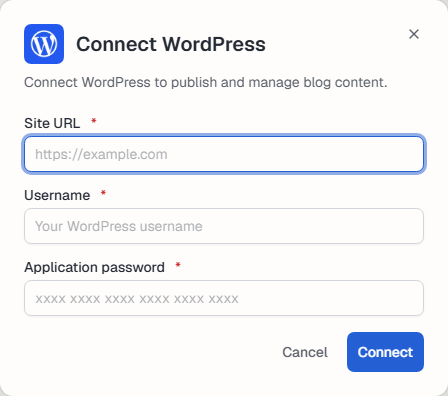
- Enter the Site URL (for example
https://myblog.com), your WordPress Username and the Application password. Select Connect.
The user needs the Author or Editor role to publish.
If Feedigy says your hosting strips the Authorization header, ask your host to enable CGIPassAuth (or the same setting on your server).
Use it
Section titled “Use it”Manage the connection
Section titled “Manage the connection”The channel appears on the Channels page. Use Settings to rename it, change its picture or Reauthorize it, and Disconnect to remove it. See What are channels?.
Keep posting through busy weeks
Set sources, keywords and posting hours once. Feedigy posts to your channels while you work on other things.
No card required. The Free plan has no time limit.